

The kick drum is the heart and soul of any song; it’s the pulse that makes people dance, the rumble that makes you feel something. Even though kick drum is something you feel more complex overtones of a stringed instrument or vocal, mixing kick is often tricky and one of the most important parts of making a song groove. Let’s break down some tips to help sculpt your kick drum sound to help it fit in with any mix.
At RC MIX, we focus on working with real acoustic drums. Nothing against samples, 808s or other drum machines, but we feel like we can make the most impact by building plugins to help people sculpt acoustic drum tones. Acoustic kick drums are naturally more difficult to mix because each hit sounds slightly different depending on the player, microphone, muffling, etc. That’s why RC KICK was designed to listen to the drum and adapt its controls automatically. This guide will help with any mixing console or series of plugins, but we encourage you to give RC KICK a try to speed up and simplify your workflow.
Clean Up
Before boosting and accentuating the good frequencies of the drum, it’s always good to clean up and cut (reduce) the bad ones. Even with a kick drum, rolling off some low frequencies is a good idea to help tighten up the drum. Using a low cut at 20 Hz can get rid of inaudible rumble.
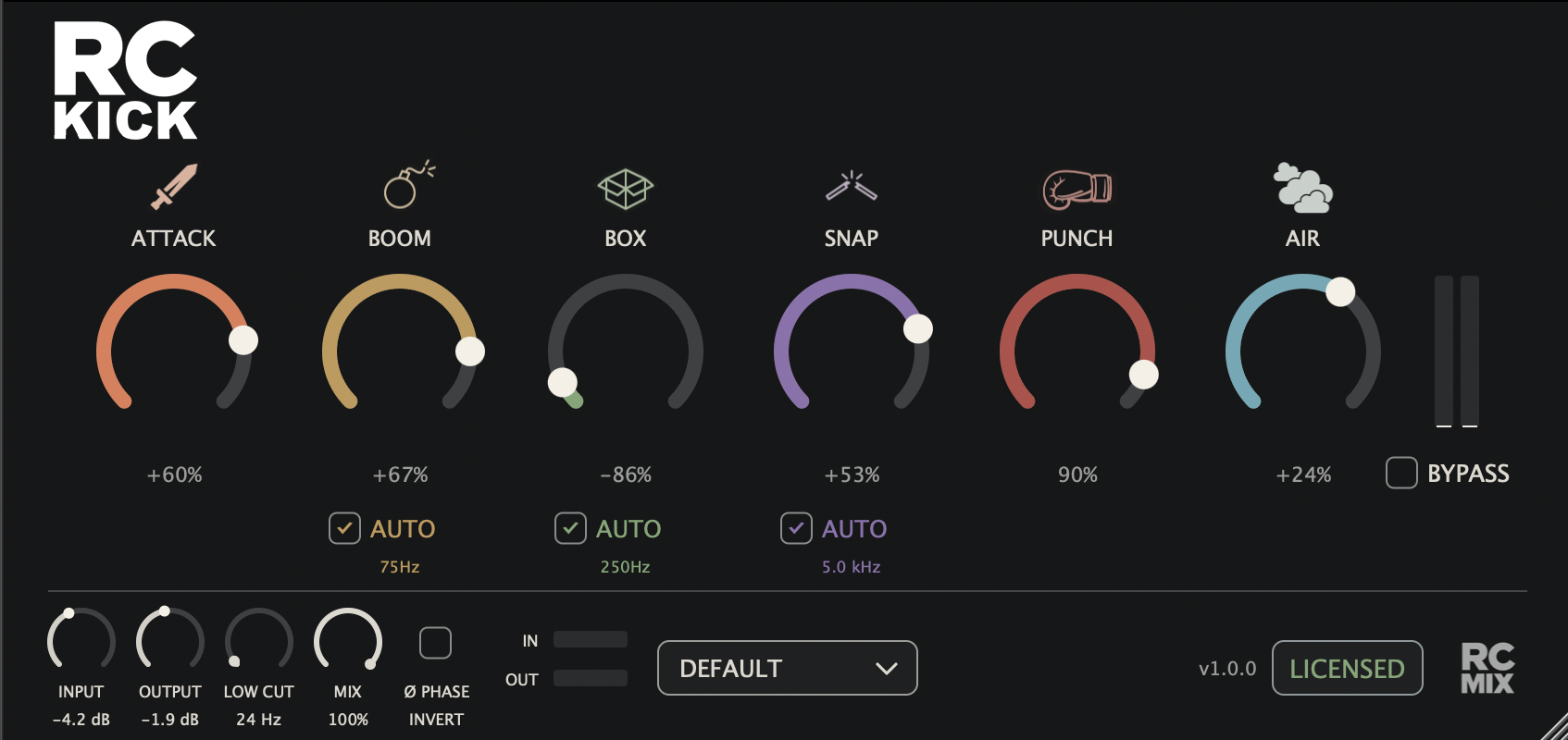
Kick drums can sound boxy or even start to sound like dribbled basketballs; some of these frequencies are in the 200–600 Hz range and need to be pulled out. RC KICK’s BOX knob uses AUTO tech to detect the most infringing “boxy” sounding frequencies of a drum and allows you to tame them with one simple knob. You can also boost them if you’re going for a specific aesthetic or your pre-eq’d microphone (such as an AKG D122 or Audix D6) took out too much of that area of a particular drum.
Cymbal or snare bleed can sometimes be a problem in kick drum microphones - this is generally in the upper range of the high frequencies above 10 kHz. You can remove some of those with a high frequency shelf EQ, but be careful not to remove too much high end which could hurt the attack of the drum. RC KICK has an AIR control that easily allows you to cut back on any bleed or help breathe a bit of life back into a dark drum.
Shape
The fundamental of the kick drum generally occurs somewhere between 50 Hz and 200 Hz depending on the size of the drum and how it is tuned; this is the boom of the drum. With the RC KICK AUTO button the BOOM control automatically detects the fundamental of the drum and allows you to boost or cut that specific frequency range.
The sound of the beater hitting the head of the kick drum is an important element of the kick drum tone especially in rock and metal music; this generally is accentuated at 3.5 kHz to 5 kHz. With RC KICK we call this the “SNAP” of the drum and AUTO tech detects exactly where the beater sound is accentuating in the frequency range and allows you to dial that sound in exactly where you want it to cut through the mix or to blend in.
Another tool that is useful in accentuating the beater of a kick drum is a transient shaper. That tool increases or decreases the gain of the first few milliseconds of a hit. In RC KICK there is a tool called ATTACK that is a simple transient shaper that helps the drum cut through a mix or pull back if the drum is too sharp or aggressive.
Compress
Compression can control the dynamics of the kick drum which can add consistency to the performance. It can also increase the sustain of the drum and help it sound more powerful. Parallel compression is a process that blends the uncompressed signal with the compressed signal to preserve attack and sounds great on drums. PUNCH is the parallel compression circuit built into RC KICK that allows you to control how compressed and saturated the drum is with one simple knob.
Gain Staging
With any signal, always make sure the input gain going into the digital signal chain in your DAW has plenty of headroom without clipping. Similarly, control the output gain to make sure it is not clipping its own meter using output gain. RC KICK makes this process simple with two knobs and independent input and output gain meters to make sure the signal isn’t overloading any stage of the plugin.
Blend
Once you have a kick drum tone you like, the most important element is to listen to the drum in the context of the rest of the kit and the rest of the mix. Pay special attention to the balance between the kick drum and the bass. There are dozens of great tools on the market to help you mix your kick drum from discrete EQs, compressors and transient shapers. For one quick, simple and smart solution RC KICK combines these tools into one plugin compatible with all major DAWs on Windows/Mac.